


How to spin the food wheel
- Pick a list from the presets above the entries: What to eat, Fast food, Restaurants, Dinner at home, Snacks or Dessert.
- Trim it to what you actually feel like. Tap a chip to sit that food out, or press × to delete it. Type extra dishes or the names of places in your town, one per line.
- Tap the wheel or press Spin. You can also grab the wheel and flick it. Whatever stops at the pointer is what you’re eating.
- Not feeling it? Press Spin again. Most groups allow one veto each, then the next spin is final.
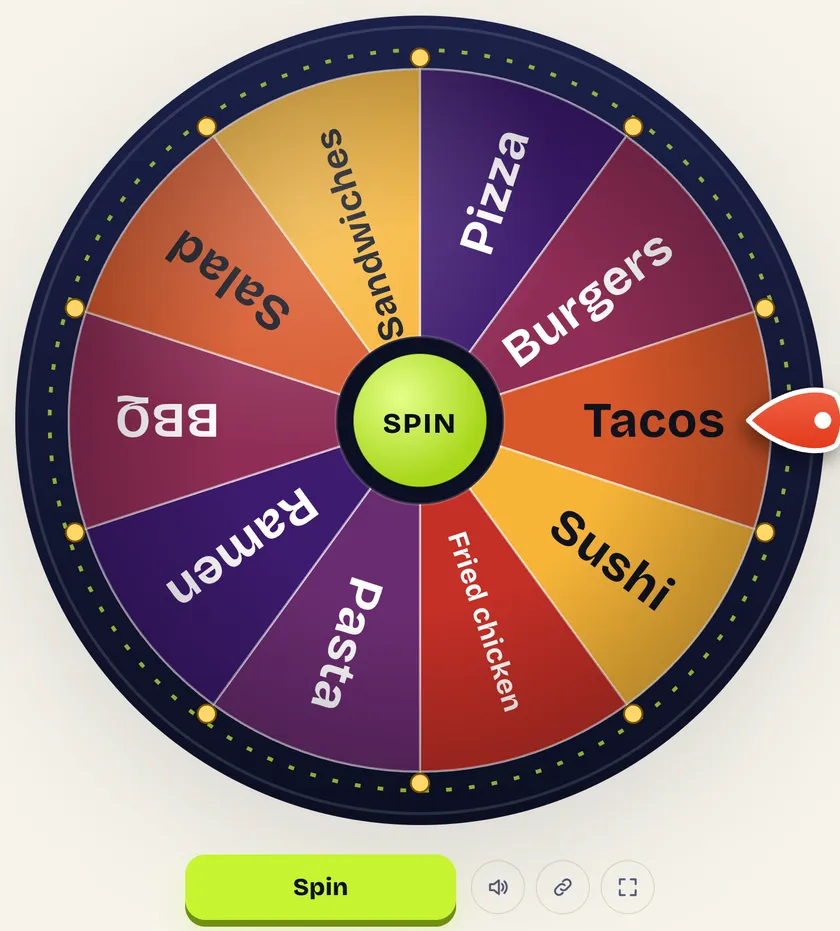
Food wheel features
- Six ready-made food lists: what to eat, fast food chains, restaurant cuisines, dinner at home, snacks and dessert. One tap swaps the whole wheel.
- Sit out without deleting: tap a food chip and it leaves the wheel but stays in your list, greyed out. Tap it again to bring it back, or press Everyone back to restore every food at once.
- Edit as text: switch to a plain text box to paste or rewrite the full menu in one go, then switch back to chips.
- Shuffle, A→Z and Import: mix up the slice order, sort the foods alphabetically, or load a .txt or .csv file of restaurants.
- Undo and Reset: cleared the list by mistake? Undo brings it back. Reset returns the wheel to the starting food list.
- Flick to spin: drag the wheel with a finger or mouse and let go, in either direction. A harder flick spins longer.
- Full screen and share link: put the wheel on a TV for the whole family, or copy a link that opens your exact food list on another phone.
- Private: your foods, history and settings stay in this browser. Nothing is uploaded and there is no sign-up.
How to check your food wheel results history
- Spin the wheel as many times as you like. Every result is logged automatically.
- Open the History tab next to Entries. The number on the tab shows how many spins have been saved.
- Read the Winner history list, newest at the top. Each line shows the spin number, the food’s slice color, its name and the time it was picked. A badge such as ×3 marks foods that have won more than once.
- Scroll down to Most picked for a bar chart of the foods that came up most, handy when a family settles a week of dinners by best of several spins.
- Press Copy to paste the results into a group chat, Download CSV to keep a meal log in a spreadsheet, or Clear history to start fresh.
What’s in the Options tab
| Option | What it does on the food wheel |
|---|---|
| Wheel title | Puts a heading above the wheel, such as “Friday dinner” or “Lunch run”. It also appears on shared links. |
| After each spin | “Keep the result on the wheel” lets a food win again. “Elimination: the result sits out” removes each winner until one food is left. |
| Spin length | A slider from 1 to 15 seconds. Short spins for a quick snack pick, long ones for dramatic restaurant reveals. |
| Colors | Five slice palettes: Arcade, Sunset, Ocean, Soft mint and High contrast. This page starts on Sunset. |
| Sounds | Turns the ticking and the result chime on or off. |
| Confetti on each result | Celebrates every winning food with a burst of confetti. |
| Weighted entries | Lets one food take a bigger slice. Type Tacos x2 to double its chance. |
Fast food spin the wheel
Stuck in the car arguing about the drive-thru? Load the Fast food (12) preset for a dozen of the biggest US chains, from McDonald’s and Chick-fil-A to Chipotle and Panda Express. Each one gets an equal slice, so nobody can say the wheel was rigged toward burgers.
Remember that Chick-fil-A is closed on Sundays. Tap its chip to sit it out for the day, then tap again on Monday to bring it back. No need to retype the list.
A fast food wheel for places near you
The wheel doesn’t track your location, so it can’t know which chains are near you. The fix takes a minute: delete the chains you don’t have and type the ones within driving distance, including local spots like the taco truck or the pizza place on the corner.
Your list is saved in this browser, so the next time you open the food wheel it’s ready to spin. Press the share button to send the same wheel to friends or a group chat.
Restaurant wheel spin for date night and groups
The Restaurants (10) preset spins by cuisine instead of by name: Italian, Mexican, Thai, Korean BBQ and so on. Once the wheel lands on a cuisine, choosing a restaurant is usually easy. For a shortlist of actual restaurants, type their names instead.
Planning with a group? In Options, change After each spin to Elimination. Each spin knocks one restaurant off, and the last place left is where you’re going. It feels fairer than a vote because nobody gets outvoted.
What should I have for dinner? Spin the dinner wheel
The Dinner at home (10) preset is for weeknights when cooking is the plan but nobody has picked a meal. It mixes quick wins like stir-fry and taco night with easy outs like breakfast for dinner and leftovers.
For a weekly meal plan, spin seven times with Elimination on and write the results down in order. You get a different dinner every night, and the History tab keeps the list in case you forget.
Snack and dessert wheels
- Random snack: the Snacks preset has sweet, salty and healthy picks. Sit out the junk food if the kids are spinning.
- Movie night: spin once for the snack, then once on the yes or no spinner to settle whether you’re ordering dessert too.
- Dessert after dinner: eight treats, from churros to cheesecake, for the last decision of the night.
- Party game: whoever loses a round spins the snack wheel and has to go fetch whatever it lands on.
Make your favorite food more likely
Want pizza to win more often without it being a sure thing? Open Options, tick Weighted entries, then change the line to Pizza x3. Its slice becomes three times as big, so it comes up about three times as often as the rest. Leave the others at the normal size.
With ten foods and equal slices, each one has a 1 in 10 chance on every spin. A food weighted x3 on that wheel has a 3 in 12, or 25%, chance.
Food wheel ideas by occasion
| Occasion | Try this list |
|---|---|
| Road trip stop | Fast food preset, trimmed to chains at the next exit |
| Date night | Restaurants preset, or five places you both like |
| Busy weeknight | Dinner at home preset with Elimination on |
| Office lunch order | Delivery places within range of the office |
| Sleepover | Snacks and Dessert presets, one spin each |
Questions people ask
How does the food wheel decide what to eat?
Every food on the list gets its own slice. Where the wheel stops is drawn by the crypto random generator built into your browser. Equal slices mean equal chances.
Can I put restaurants near me on the wheel?
Yes. Delete the preset entries and type the restaurants or fast food places in your area, one per line. The list stays saved in your browser.
Is there a fast food spin the wheel preset?
Yes. The Fast food (12) preset loads twelve popular US chains, including McDonald’s, Taco Bell, Chick-fil-A, Wendy’s and Chipotle.
How do I stop the same food coming up twice?
Choose Elimination under After each spin (in Options), or press Remove from wheel on the result. Each food can then only win once.
Is SpinnWheel connected to any of these restaurants?
No. The chain names are only there as a starting list. SpinnWheel has no deals with any restaurant, and the wheel doesn’t favor any of them.
Updated by the SpinnWheel team